Logging time against a project starts at the project's schedule instead of a blank form. This section walks the whole loop: finding the task, logging the time, and flagging problems from the floor.
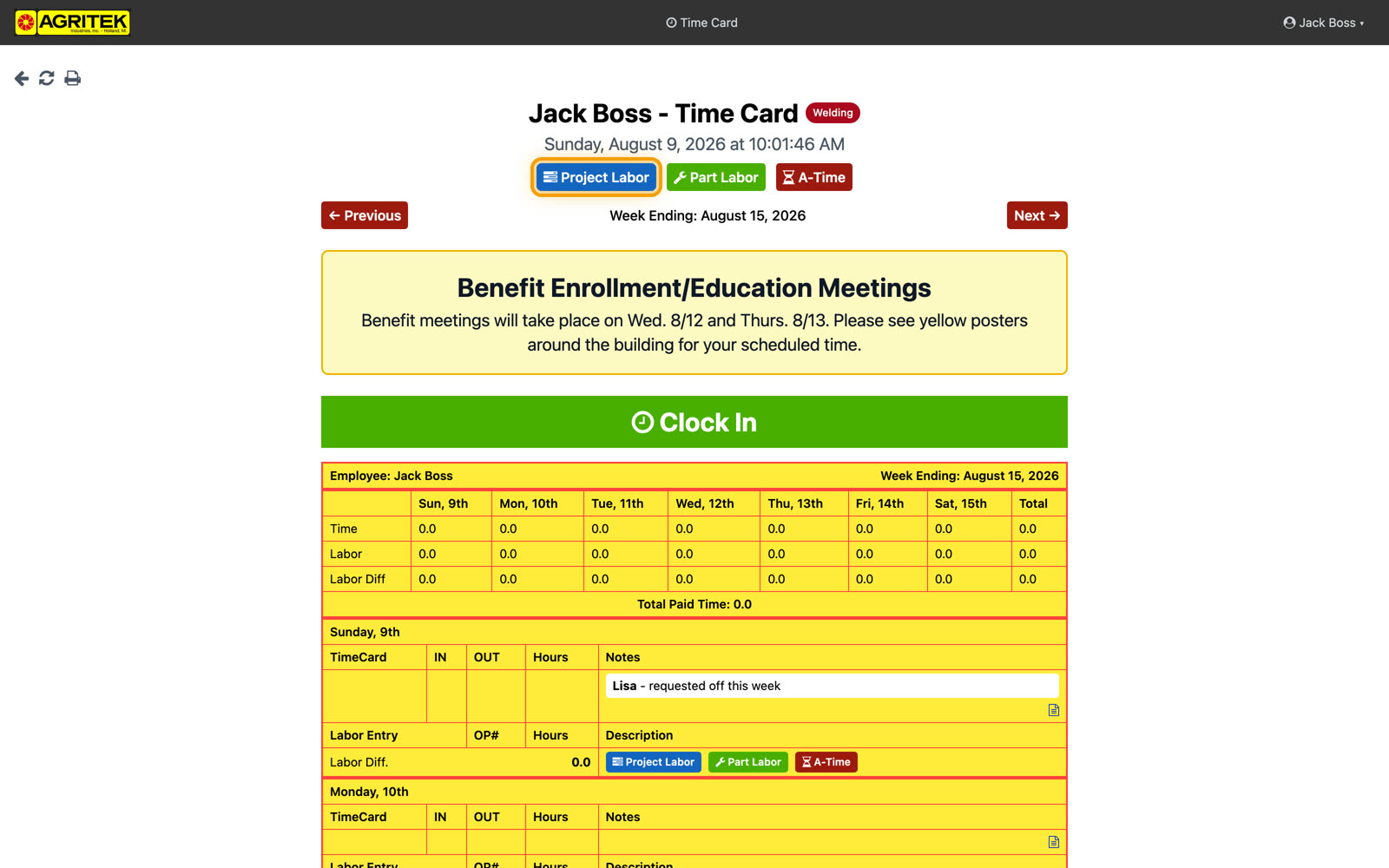
Logging labor on a project starts in a new place: the project's schedule. From your time card, hit the Project button.
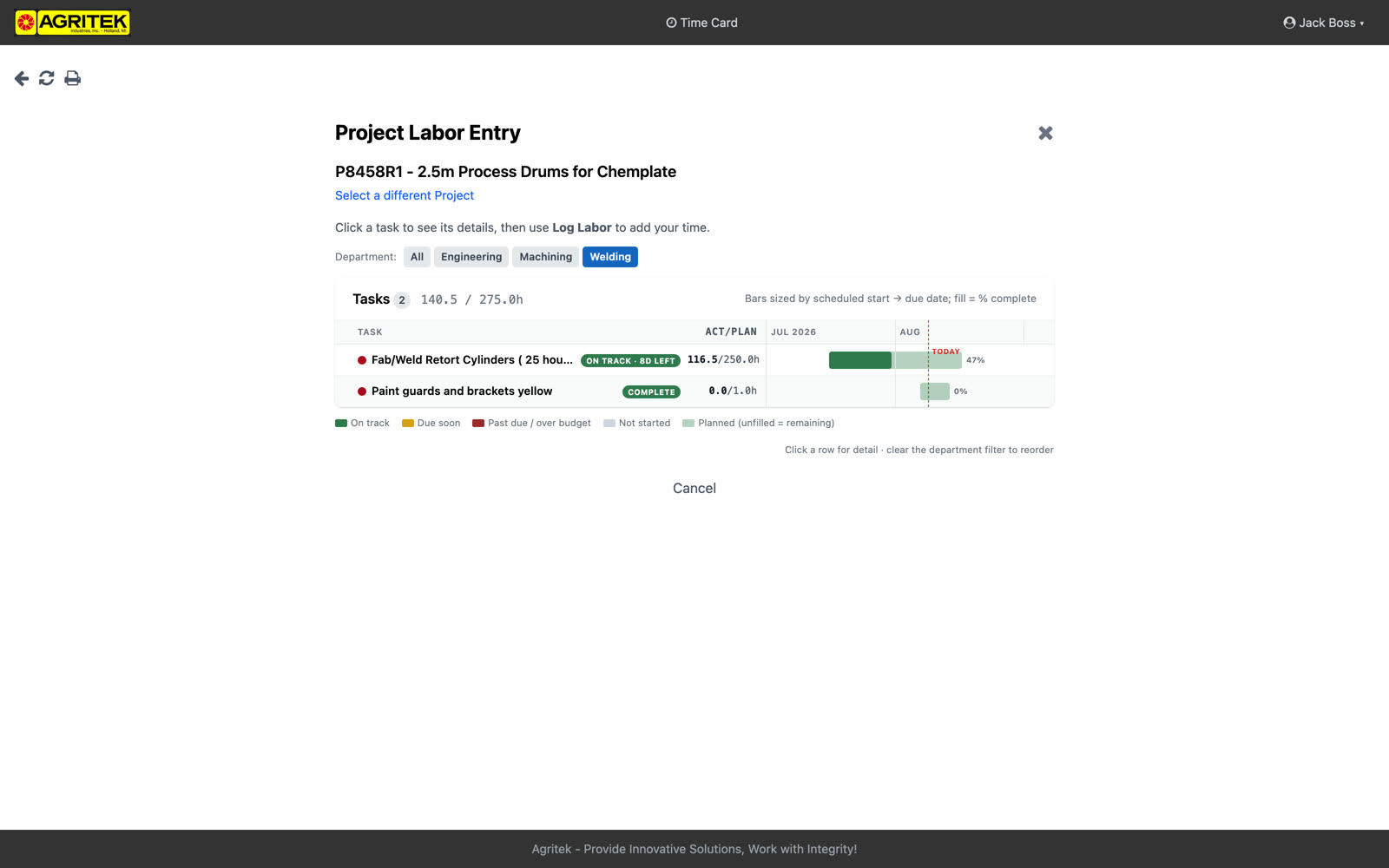
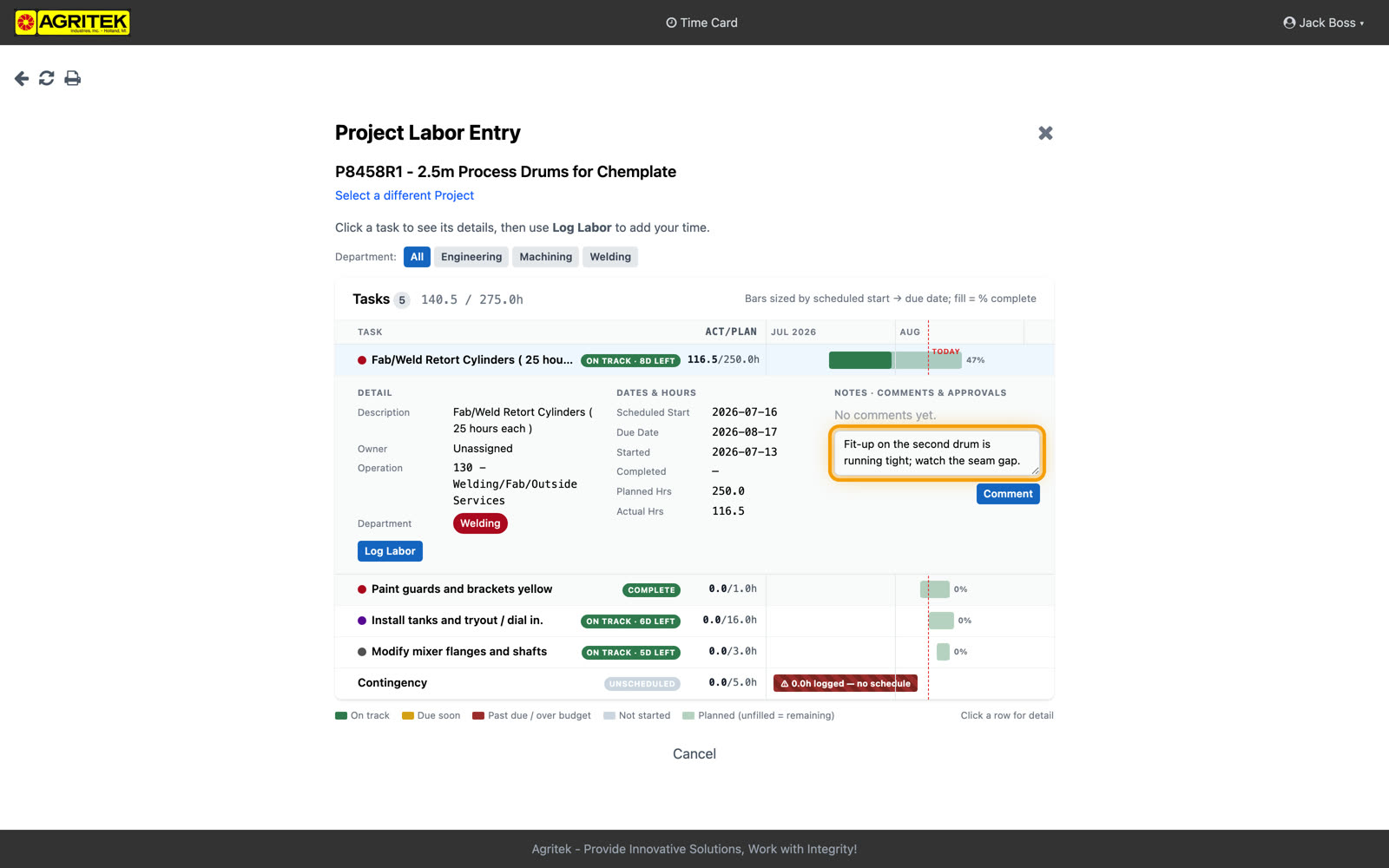
You land on the schedule board. This is the whole project on one screen: every task, its status, how far along it is, and when it's due.
Operators see the board read-only. Admins and supervisors see the same board with editing and reordering on the project page.
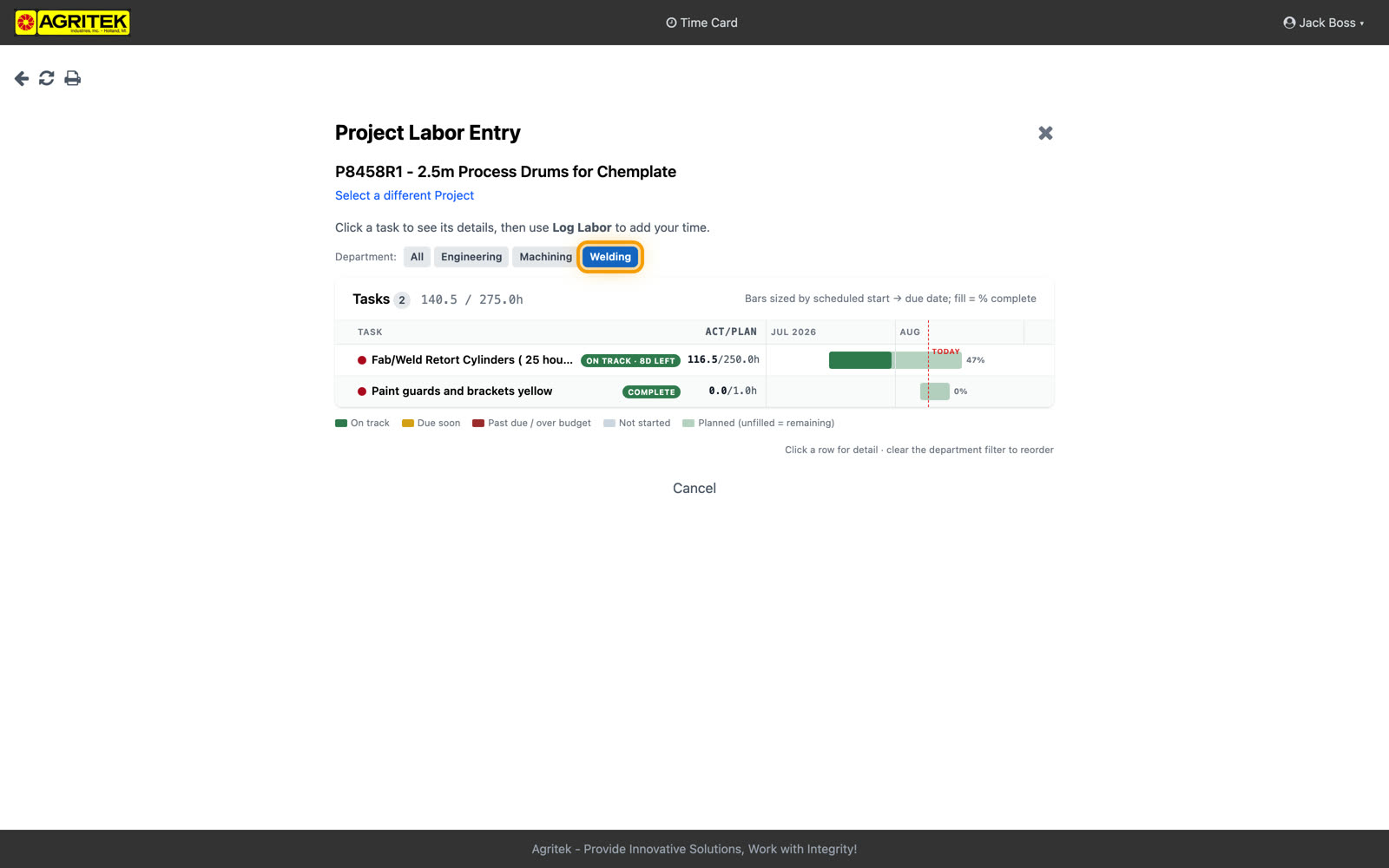
The board opens showing your department's tasks. Clear the filter to see the whole project; set it back to focus on your own work.
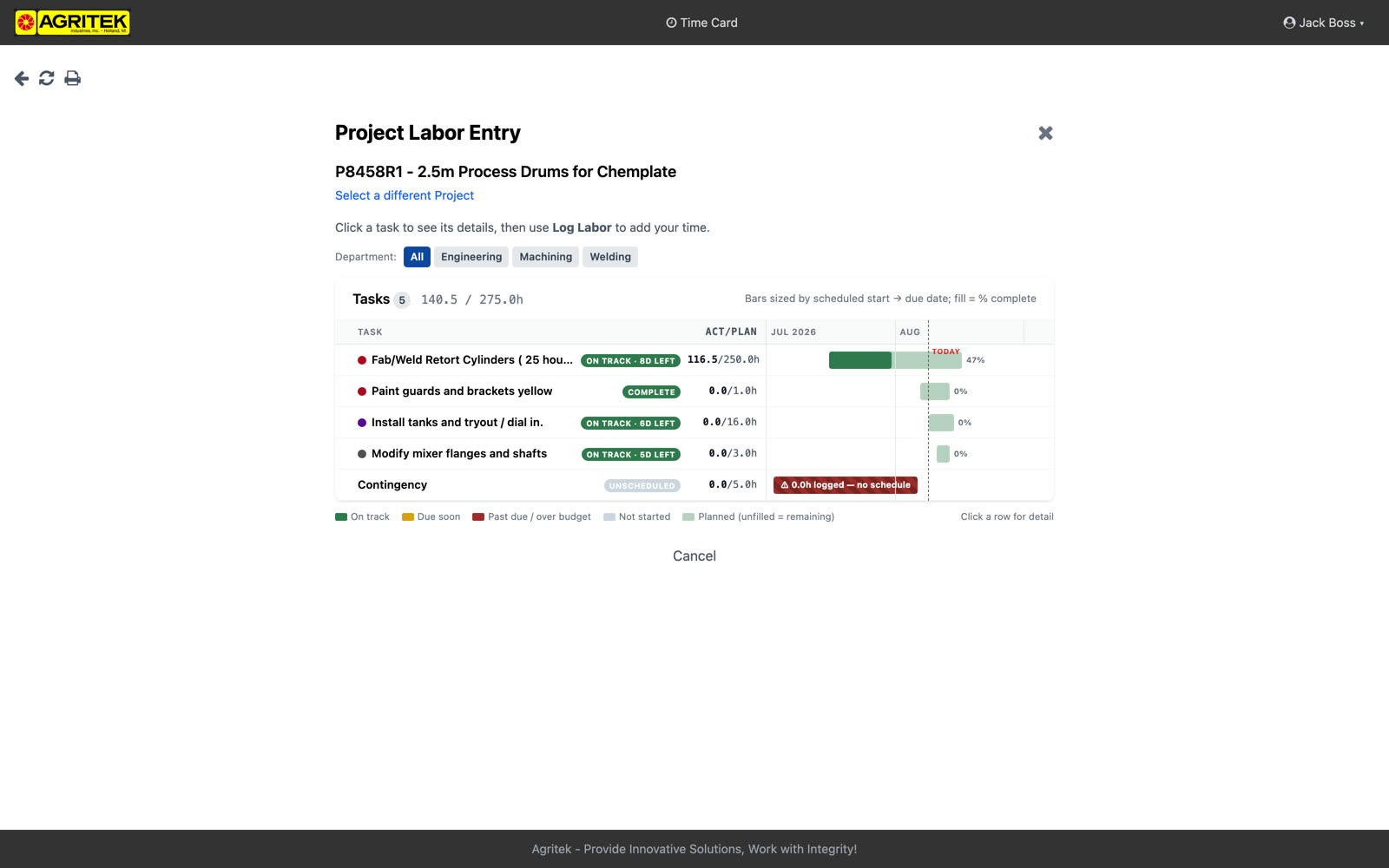
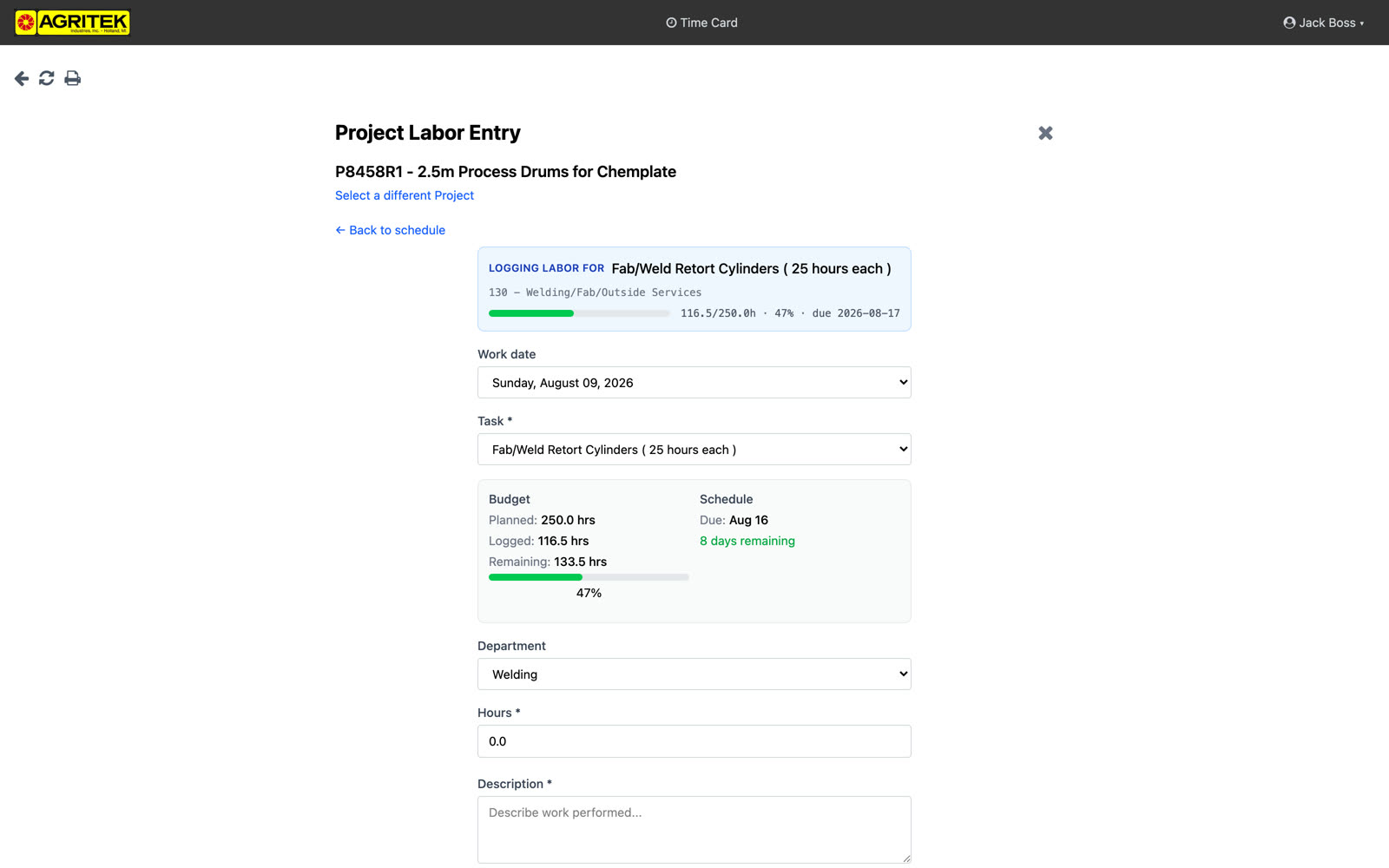
Expand a task and hit Log Labor. The blue card names the task you're logging against; past that it's the same labor form as always. Nothing about entering time changed.
The panel under the task name shows the budget: planned hours, logged, remaining, and the due date. The blue card follows you into the form so there's no doubt what the time books against. Managed projects also carry a Contingency task; unplanned time goes there, and the form asks for a reason (customer, supplier, or internal).
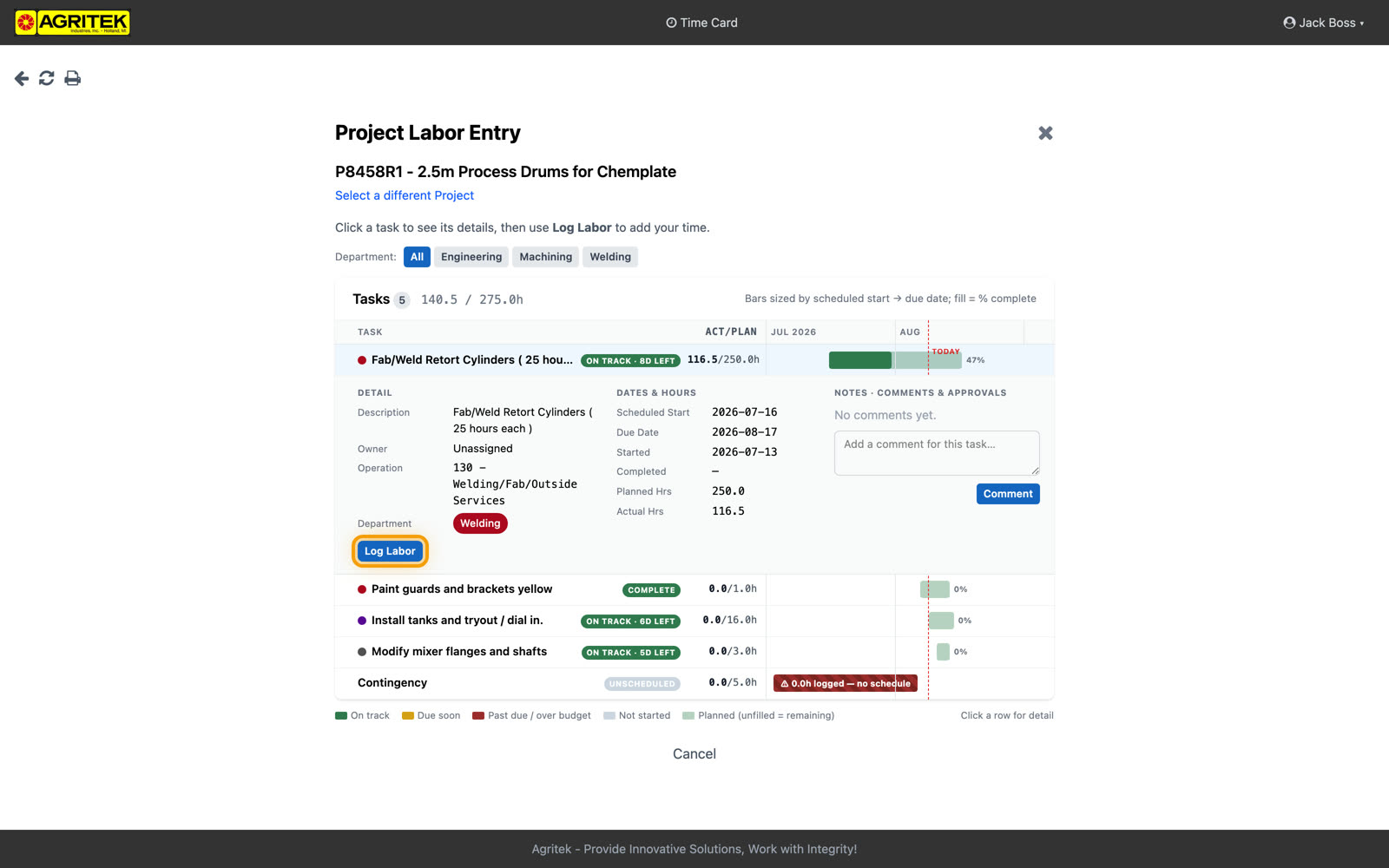
If a task isn't taking labor, the button just isn't there. A finished task can't collect time by accident. Same thing when a task goes over its planned hours: it locks until a supervisor approves the overage, then the button comes back.
The button also disappears on tasks outside their scheduled window when schedule enforcement is on.
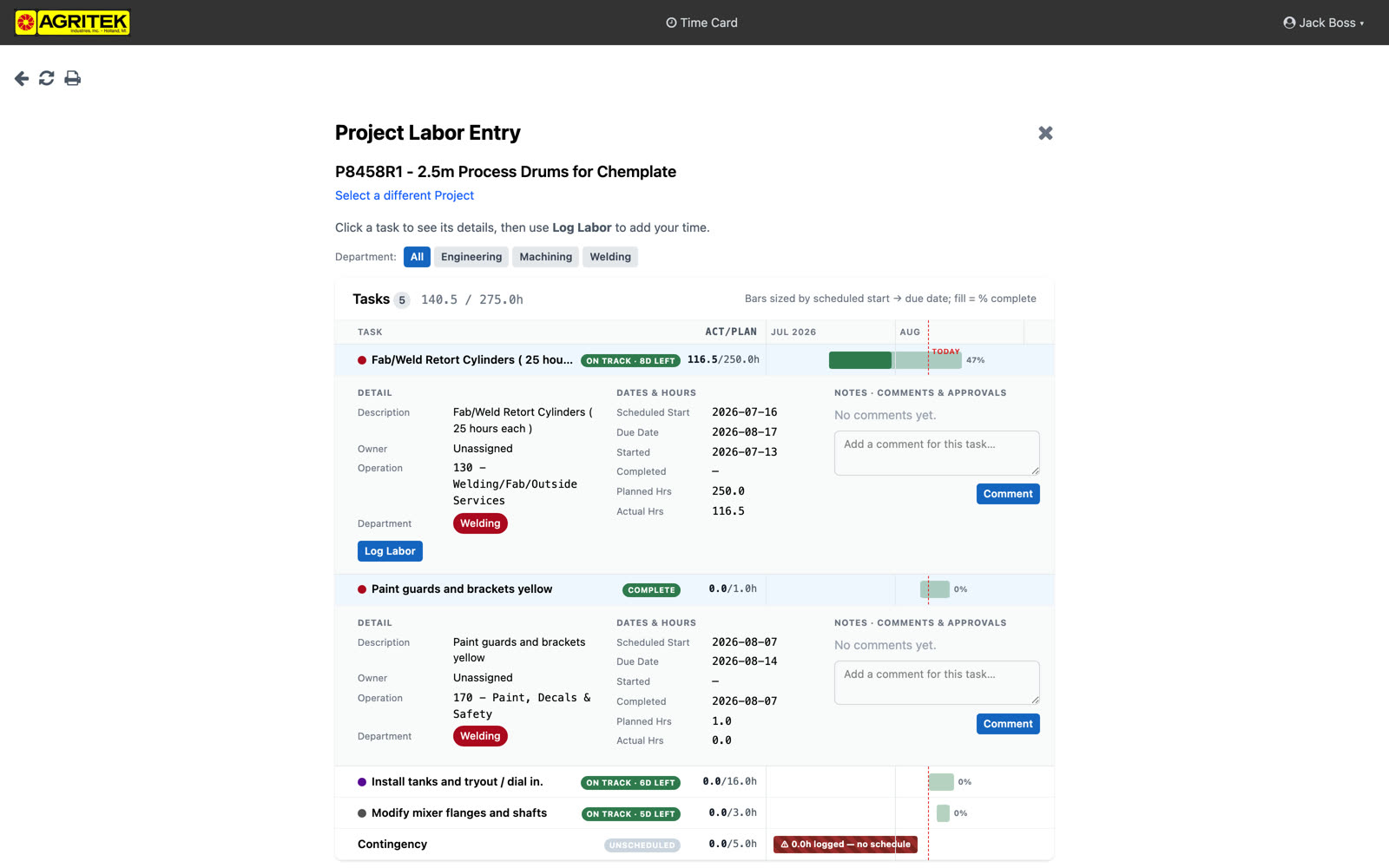
You can comment on a task right from its row. Comments go to the project manager and your supervisor; if something's wrong with a job, say it here and the right people get pinged.
Comments notify the project manager, the task owner if one is set, and the department's supervisors, and they stay on the task permanently. If something about the job is wrong, this beats a hallway conversation; it reaches the right people and it's still there next month.
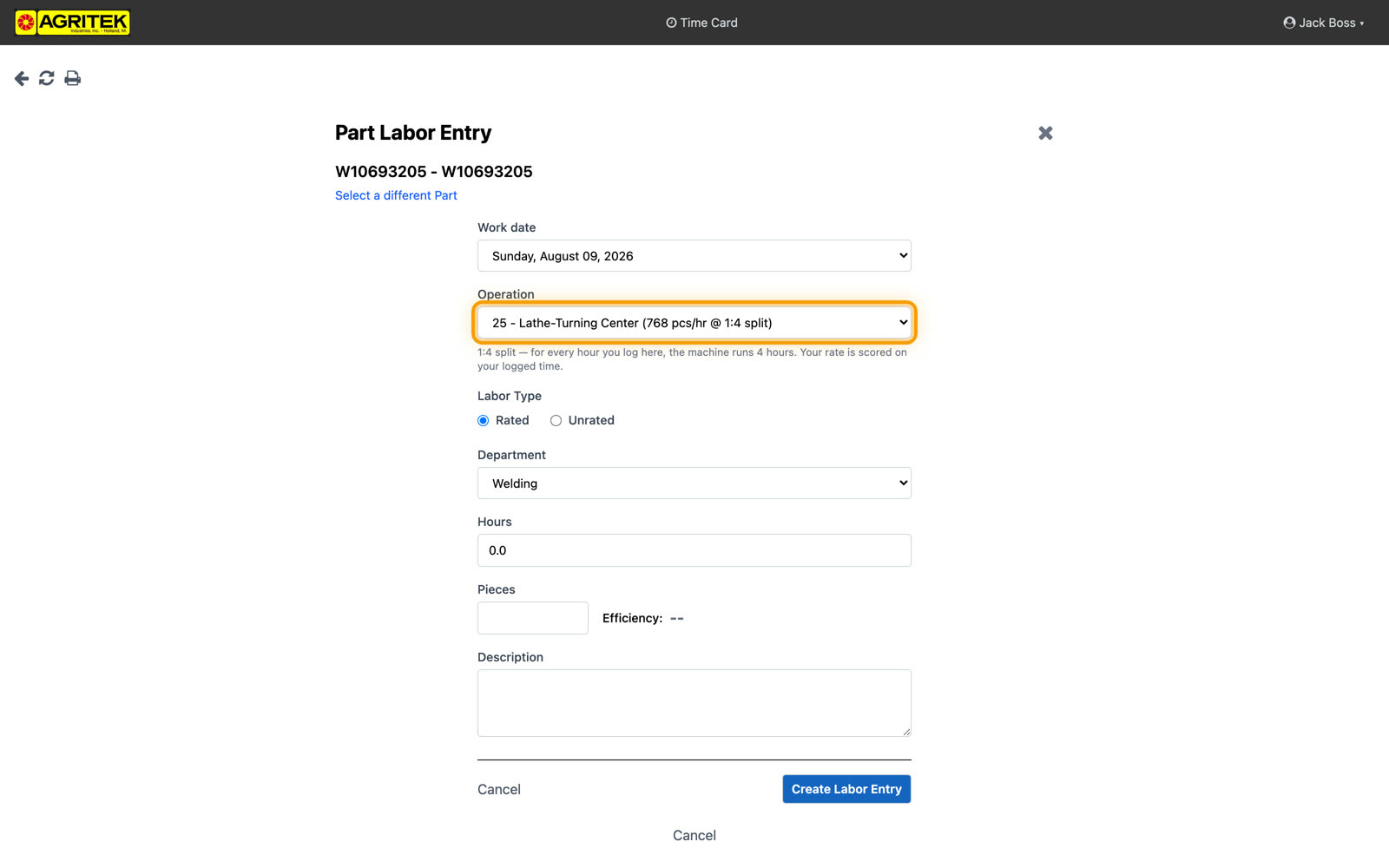
One more thing, on part work: for split-rate jobs the operation shows you the numbers up front, the machine rate and the split. On this job, for every hour you log, the machine runs four. Your efficiency is scored on your logged time, same math as always; the difference is you can see the number you're measured against.
The efficiency math didn't change: 75 to 125 percent is still the acceptable range, and anything outside still needs a description. Every entry also keeps the rates that were in effect when it was logged, so a later rate fix never rewrites history.